Show anything on your screen. Share nothing you didn't mean to.
Lightshot captures, annotates and records your Mac's screen, with a video editor built in. It all runs on your Mac: no account, no cloud, no uploads.
- No account to create
- Nothing uploaded
- Captions transcribed on-device
- MIT licensed
- Apple Silicon and Intel
Capture it, mark it up, and it's on your clipboard.
Drag out an area, click a window or take the whole display, each from its own shortcut. Every tool sits in one toolbar row, and copy, save and pin are one click away.
Area
Control Command 4Drag to select, with live pixel size and edges you can adjust before you shoot.
Window
RebindableHover to highlight a window, click to capture just that window, with nothing overlapping it.
Full display
Control Command 3Grab a whole screen, or pick which one on a multi-display setup.
OCR Text
RebindableDrag over anything to copy its text. QR codes and barcodes are decoded too.
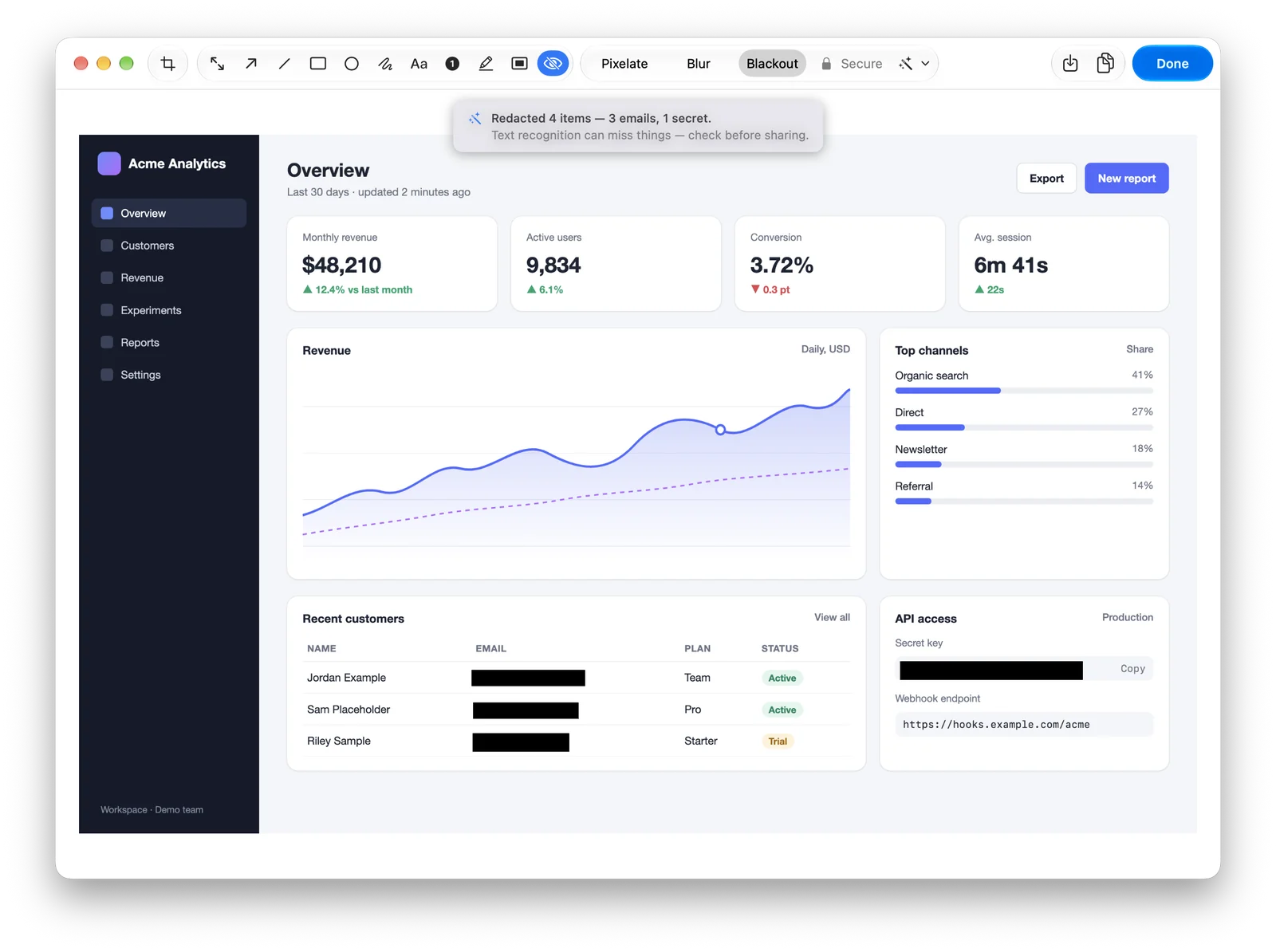
Auto RedactShift Command R
Find keys, emails and card numbers, and redact them in one keystroke.
Text recognition runs on your Mac, finds what shouldn't leave the screenshot and redacts it in the style you've picked. It can miss things, so check before you share.
Detects
API keys · Passwords · Card numbers · IBANs · Emails · Phone numbers · IP addresses · QR codes
Pick Blackout for anything secret: it erases the pixels underneath. Blur and pixelate only obscure, so never use them for secrets.
Record exactly the part that matters.
Record an area, a window or a display as video or GIF. Dim everything outside the frame if you like, and a small pill keeps pause, stop, restart and discard in reach.
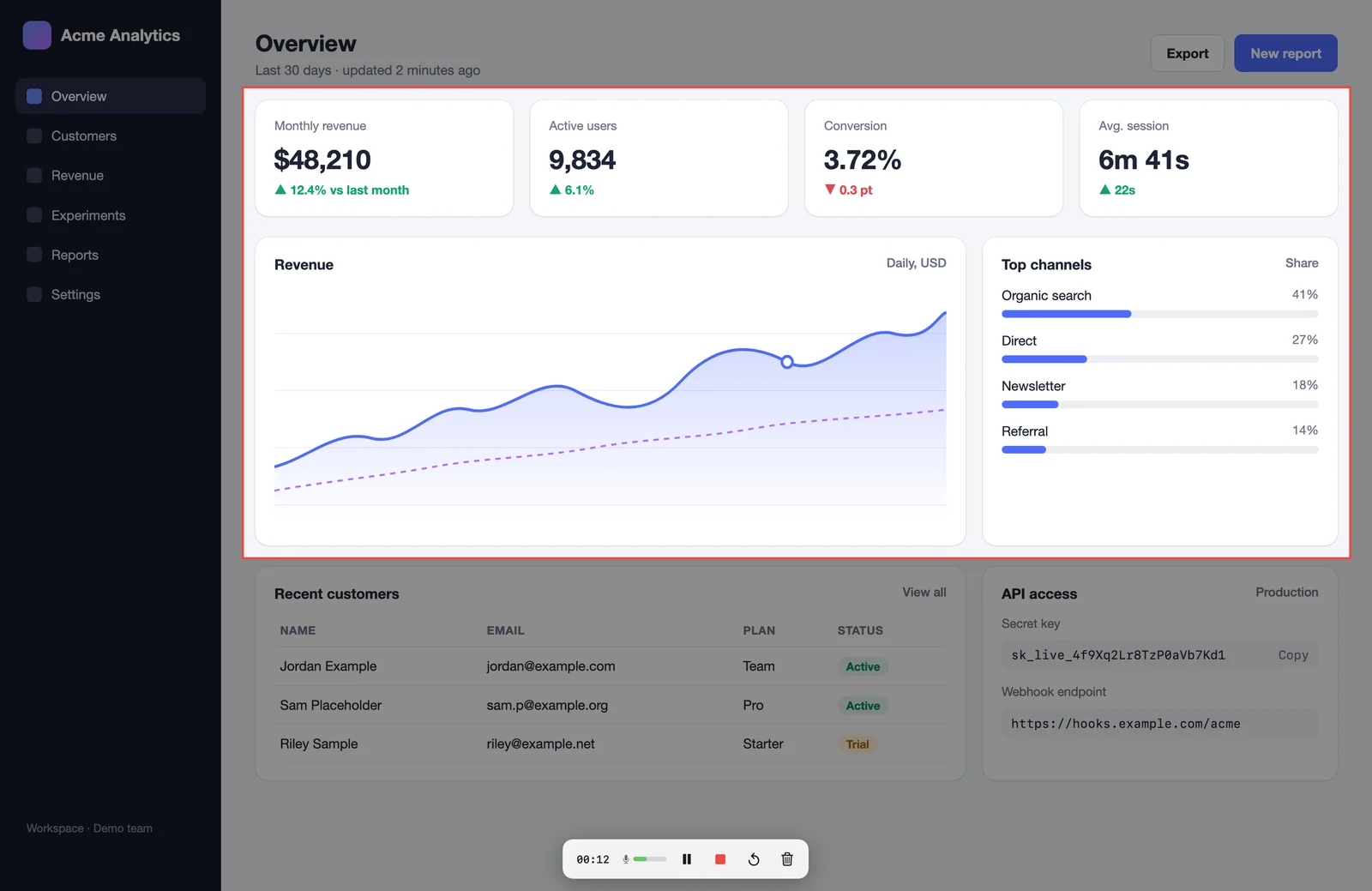
Every take stays editable after you stop recording.
Lightshot records the screen, pointer, clicks, keystrokes and camera separately. Change the zoom, the cursor or the captions later. Nothing is baked in until you export.
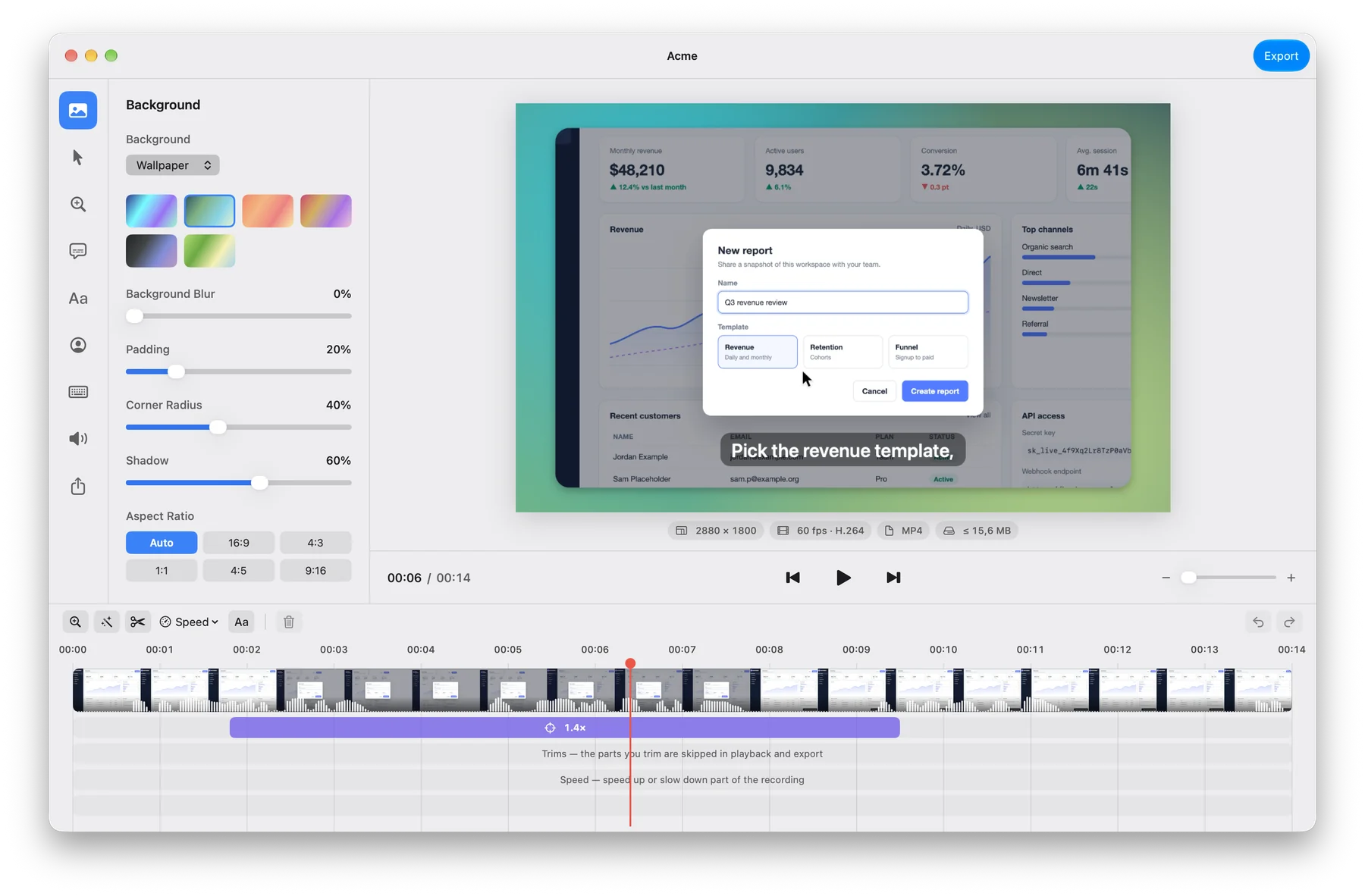
Auto Zoom
Zooms are suggested from your clicks. Pin them, retime them or follow the cursor.
A cursor you can redraw
Change its size, smoothing and click effects, or hide it when idle.
Captions made on your Mac
Transcribe narration on-device, burn in captions, cut speech by selecting words.
MP4 or GIF, up to 4K
H.264 or HEVC at 24, 30 or 60 fps, with a size estimate before you export.
Your screen holds your passwords, your clients and your unread messages. None of it should leave your Mac just because you took a screenshot.
- 0accounts
- There is nothing to sign up for. Open the app and capture.
- 0uploads
- Shots and recordings are saved where you choose. History stays on disk.
- 0cloud transcription
- Captions and text recognition use models built into macOS.
- 1network request
- An update check against GitHub, about once a day. Turn it off in Settings.
And the small things
you'll use every day.
Quick Access Overlay
Each capture waits as a card in a corner of the screen. Copy, save, annotate, pin, or drag it straight into another app.
Pin it on top
Float a screenshot above every window while you type from it.
Copy text, then translate it
Recognised on your Mac, translated with macOS's built-in translation (macOS 14.4 or later).
Local history
Reopen, reveal in Finder or delete. You set how long it keeps things.
Capture options
Self-timer, cursor, repeat last capture, hide desktop icons.
Rebindable shortcuts
Give any capture its own global hotkey. Clashes are flagged.
Light and Dark
Follows the system, or pick one in Settings.
Try it on your next screenshot.
Free, MIT licensed, and yours to read line by line.